
Statesman Journal
USA TODAY Co.News & Magazines
3.175.00 Reviews
- Version
- 8.10.3
- Installs
- 10.00K
- Age Rating
- Everyone 10+
Screenshots







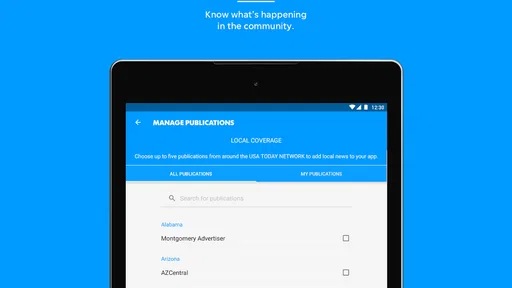
Our Review of Statesman Journal
 Analysis by Appyee
I spent time with Statesman Journal as a mobile news reader, paying particular attention to how comfortably it works in different situations and for people with different reading habits. It is a free News & Magazines app from USA TODAY Co., focused on local and national reporting, photography, and video. The app is aimed at Everyone 10+, and its current version is 8.10.3 for devices running Android 8.0 or later.
My first impression was that this is a focused way to keep up with the Statesman Journal rather than a broad replacement for every news source. That distinction matters. If you want local coverage in one familiar place, it has a clear purpose. If you mainly want a customizable feed covering dozens of publishers, a general news reader may suit you better.
How the reading experience holds up in everyday use
I find the everyday value of a newspaper app depends less on how many headlines it can show and more on whether its local reporting gives me a useful reason to return. In this section, I’ll look at how that focused reading habit can fit around a busy day, including when a quick check is enough and when I’d want to slow down and read more carefully.
Readable news without an overloaded starting point
The app’s strongest quality is its direct connection to the newspaper’s local identity. Instead of making me build a publication list from scratch, it gives the Statesman Journal a central role and places local reporting alongside national news. That is useful when my priority is knowing what is happening close to home, while still having a wider context available.
I found this approach easier to understand than a large aggregator filled with unrelated headlines. A local reader can open the app with a specific question in mind—checking community developments, scanning the day’s headlines, or looking for a story connected to a nearby issue—and move through relevant coverage without first sorting through a huge collection of sources.
The trade-off is choice. A broad news app usually offers more control over topics, publishers, and the order in which stories appear. Statesman Journal feels more like a digital extension of a newspaper than a neutral dashboard for the entire internet. That is a strength for readers who value continuity, but a limitation for anyone who wants a highly personalized national or international feed.
Photography and video also change how the app communicates. A written article can be skimmed at a reader’s pace, while visual reporting may help explain an event quickly. I appreciate that mix, especially when a scene, location, or public gathering is easier to understand visually than through several paragraphs. At the same time, visual material can make the experience less predictable for someone who prefers a quiet, text-first reading routine.
Navigation that favors familiar habits
For me, the useful mental model is simple: open the app, scan the available stories, choose what deserves attention, and return later when something new happens. That simplicity helps people who do not want to learn a complicated interface. It can also benefit older readers or anyone who feels overwhelmed by apps with many nested menus and constantly changing controls.
There is a practical tip here: I would use the app for intentional check-ins rather than leaving it open as a continuous stream. A short visit in the morning can establish the local picture, while a second visit later can catch developments. This makes the app feel less demanding and reduces the temptation to keep refreshing a feed without a clear purpose.
Readers who jump between articles should also pay attention to how they return to the main news view. In a newspaper app, it is easy to follow one story into related coverage and lose track of the original list. I found it more efficient to decide whether I wanted depth or breadth before opening the next article. That small habit keeps a quick news check from turning into an unplanned reading session.
Text, images, and attention demands
News apps are often judged only by whether they contain the right stories, but readability also depends on how much concentration the presentation requires. Statesman Journal is better suited to readers who can give an article a few uninterrupted minutes than to someone looking for a purely glanceable interface. Headlines help with quick scanning, while longer stories and media invite a slower pace.
For people with visual fatigue, I would approach the app in shorter sessions and use the phone’s own display settings where helpful. Larger system text, increased contrast, or a calmer screen setting can make mobile reading more comfortable, although the result depends on the device and operating system. I would not assume that every adjustment will affect every element equally, so checking a few article screens is worthwhile before settling into a routine.
One non-obvious benefit of local news is contextual familiarity. When I already recognize a place, organization, or issue, I can understand a headline faster than I might with an unfamiliar national story. That can reduce the mental effort of reading, particularly for someone who follows local events closely. The opposite is also true: readers new to the area may need more background before a short local headline makes sense.
Motor comfort and the way people interact
News reading is usually a touch-heavy activity, and that makes small interaction choices important. I prefer holding the phone in one hand and using the other only when I need to scroll, open a story, or move back. That works well for ordinary browsing, but people with limited reach, tremors, or reduced fine-motor control may find repeated tapping and scrolling tiring.
A useful workaround is to place the phone on a stand during longer reading sessions rather than gripping it continuously. This does not change the app itself, but it can reduce hand strain and make it easier to pause between articles. Voice control or system-level switch access may also help some users, though the quality of that experience depends on the phone and its accessibility tools rather than on a feature I would attribute specifically to the app.
I would also avoid navigating while walking or doing another task. Local headlines can be checked quickly, but opening articles, watching video, and moving through several screens still requires attention. For someone with slower reaction time or difficulty with precise gestures, a stationary reading routine is safer and more comfortable.
The app’s visual material creates another consideration. Photos can add meaning to a report, but busy images may compete with text for attention. Readers with cognitive fatigue, migraines, or sensory sensitivity may prefer to focus on written articles and skip media when the screen feels too stimulating. That is one reason I see Statesman Journal as more flexible when used selectively rather than consumed passively for long periods.
Audio, video, and sensory context
Video is part of the app’s news presentation, and that can be valuable when moving images communicate an event better than a still photograph. It can also introduce situations where reading is no longer the only activity. Sound, motion, and changing visuals may not be welcome in a quiet room, at work, on public transport, or late at night.
My practical advice is to treat video as optional context, not as a requirement for understanding every article. If I am in a public place, I keep my phone muted and decide whether the written report is enough. If I am tired or sensitive to motion, I stay with text and photographs. This approach makes the app easier to fit into real life, even when the media-rich presentation is not ideal for every moment.
People who rely on captions, transcripts, or other specific media accommodations should check each video as they encounter it rather than assuming that every item will offer the same support. The app’s value for those readers may depend more heavily on the written article than on the video component. That is not a reason to dismiss the app, but it is an important part of choosing it realistically.
Situational access: where the app fits best
Statesman Journal makes the most sense in a few concrete routines. I can imagine using it over breakfast to understand the local agenda, during a lunch break to catch up on a developing story, or in the evening when I want a more complete article than a social-media headline provides. In each case, the app works as a deliberate local-news stop rather than background noise.
It is also useful for people who have a personal connection to the area but are not always near a printed newspaper. Former residents, family members following local events, and readers who want a consistent regional perspective may appreciate having that coverage on a phone. The local focus gives the app a clearer reason to exist than another general-purpose headline feed.
Connectivity and attention can change the experience. I would not make it my only source during an urgent event, because a single news app should not be treated as a complete emergency information system. For critical updates, official local channels and direct public notices may be more appropriate. For ordinary daily awareness, however, the app can provide a convenient starting point.
It also suits readers who prefer a publication relationship over an algorithmic one. A general aggregator may learn my interests, but it can also mix reliable reporting with sensational headlines and unrelated recommendations. Statesman Journal feels more intentional: I open it because I want this newspaper’s coverage. That is a meaningful advantage for readers who want less discovery and more consistency.
What the rating and payment model suggest in practice
The app has a 3.1 average from 167 ratings, with 75 written reviews, so the public response is mixed rather than universally enthusiastic. I would read that as a reason to test it on my own phone and with my own reading routine instead of assuming the experience will be perfect for everyone. App performance, screen size, and personal expectations can make a noticeable difference with a news reader.
Downloading it costs nothing, but in-app items range from $14.99 to $69.99 each. That makes it important to distinguish between installing the app and deciding whether any paid option fits your needs. I would begin with the free experience, explore the available articles, and only consider a purchase after understanding how much local reading I actually do there.
The app has more than 10K installs, which shows that it has reached a real audience while remaining much smaller than the major national news platforms. That smaller scale matches its local purpose. I would choose it for the identity and continuity of Statesman Journal coverage, not because I expect the breadth or polish of a giant multi-publication service.
The developer is USA TODAY Co., and the app has been available since June 1, 2012. Its long presence suggests an established newspaper-app concept rather than a temporary experiment, but age alone does not guarantee that every part of the experience will feel modern. The current version matters more for day-to-day use, and version 8.10.3 is the one I would evaluate on a compatible device.
Remaining barriers for different readers
The biggest barrier is not one dramatic flaw; it is the gap between a newspaper-centered design and the expectations people bring from modern aggregators. Someone who wants extensive topic filters, a fully personalized home screen, or a broad range of international sources may find the app restrictive. In that situation, a general news reader is probably the better choice.
Another barrier is the physical act of reading on a small screen. Even a well-organized article can be tiring for people with low vision, dyslexia, attention difficulties, or limited stamina. Device settings may improve comfort, but they cannot solve every issue in the app’s layout or media presentation. I would test several story types, including a photo-heavy report and a longer article, before deciding whether it is suitable for regular use.
People with limited data, inconsistent connectivity, or strict screen-time limits should also be selective. Rich photography and video can make news more engaging, but they may not match a minimalist reading plan. If I wanted the lowest possible visual and data load, I would favor a text-focused alternative or use Statesman Journal only when connected to a reliable network.
There is a social accessibility angle too. Local reporting can be especially valuable to people who cannot easily attend community meetings, travel around the area, or follow several local organizations in person. The app can reduce that distance by putting reporting in one place. Still, it should complement—not replace—direct services, official announcements, and community contacts when a decision affects health, safety, housing, or access to support.
Who I would recommend it to
I would recommend Statesman Journal to readers who specifically want local journalism with some national context and who prefer a newspaper’s editorial identity to an endlessly personalized feed. It is a sensible fit for a daily morning check, a regional story habit, or keeping up with an area that matters personally.
I would be more cautious about recommending it to someone who depends on highly customized accessibility controls, needs a completely text-only experience, or wants every major topic represented in one place. Those readers may be happier with a platform designed around personalization, adjustable presentation, or broader source selection.
For families, the Everyone 10+ rating is a useful general guide, but I would still treat news as something to discuss according to a child’s maturity and the subject of a particular story. Local reporting can cover serious real-world events even when the app is not intended for adult-only use.
My inclusive verdict
After using it as a local news reader, I see Statesman Journal as a practical, purpose-built option rather than an all-purpose news command center. Its local focus, combination of written reporting with photography and video, and straightforward newspaper identity make it valuable for readers who know what they want from it.
Its accessibility story is more about flexible habits than specialized controls. Short sessions, a phone stand, system display adjustments, muted video, and choosing text over media when needed can make the experience more comfortable across different abilities and environments. Those workarounds are useful, but they also show why the app will not be equally suitable for everyone.
My bottom line: choose it when local Statesman Journal coverage is the priority, and skip it when you need a deeply customizable, low-stimulation, or fully comprehensive news platform. I would install the free app, try it during the exact routine in which I expect to read news, and judge the fit by comfort as much as by headline selection. For the right reader, that local connection is the reason to keep it; for everyone else, a broader alternative may be a better daily companion.
Verdict
Strengths of Statesman Journal
- Clear local coverage of Salem and the surrounding Mid-Willamette Valley.
- Breaking-news alerts help readers stay informed about developing stories.
- Easy access to local sports, events, and community updates.
- Digital subscription provides convenient access while traveling.
- Articles can be saved for later reading when time is limited.
Limitations of Statesman Journal
- Many full articles may require a paid subscription.
- Some content can feel heavily focused on the local Salem area.
- Frequent notifications may become distracting without adjustment.
- App performance may vary on older phones or slower connections.
- Advertising can reduce reading space on some screens.
Other Releases by USA TODAY Co.
View All
IndyStar: Indianapolis Star
News & Magazines2.7

AZ Central: Arizona Republic
News & Magazines2.5

The Detroit News: Local News
News & Magazines3.1

Detroit Free Press: Freep
News & Magazines3.0
Similar Picks in This Category
View All
Google News - Daily Headlines
Google LLC4.0

X
X Corp.4.8

Flipboard:Your Social Magazine
Flipboard3.4

Opera News: breaking & local
Opera4.5

Hindi News by Dainik Bhaskar
Dainik Bhaskar Group4.0

Way2News Daily News App
Way2News ( Formerly Way2SMS )4.6
Frequently Asked Questions
What is the Statesman Journal app?
The Statesman Journal app is a digital news platform for readers who want local and regional coverage, particularly in and around Salem, Oregon. After installing it, users can browse breaking news, community stories, sports, entertainment, opinion pieces, and other updates in one place. The app is designed for quick reading on a phone or tablet and may also provide alerts for important developing stories.
Is the Statesman Journal app free to download and use?
Downloading the Statesman Journal app is generally free, but access to all of its articles may depend on the publication’s subscription policy. Some stories can be available to everyone, while other content may require a digital subscription or account after a limited number of articles. Before downloading, users should review the current in-app terms, pricing, and subscription details because access plans can change.
What type of news and content can I read in Statesman Journal?
The app focuses mainly on local journalism, making it useful for readers who want information that may not appear in national news applications. Content can include local government, crime and public safety, education, business, community events, weather, sports, lifestyle, and opinion articles. Coverage is centered on the Salem area and surrounding communities, with additional regional or broader stories when relevant.
Does Statesman Journal send breaking-news notifications?
The Statesman Journal app may offer push notifications for breaking news, major local developments, sports updates, weather-related information, and other important headlines. Notifications can be helpful if you want immediate awareness of events in the area, although frequent alerts may become distracting. After installation, check the notification settings and choose which categories you want to receive, if those controls are available.
Does the Statesman Journal app work offline or require an account?
An internet connection is normally required to download the latest articles, photos, videos, and updates. Some previously opened content may remain temporarily available through the app’s cache, but users should not rely on it as a full offline reading tool. An account may also be needed for subscriber-only articles, saved preferences, or subscription management, depending on the current version and access plan.
